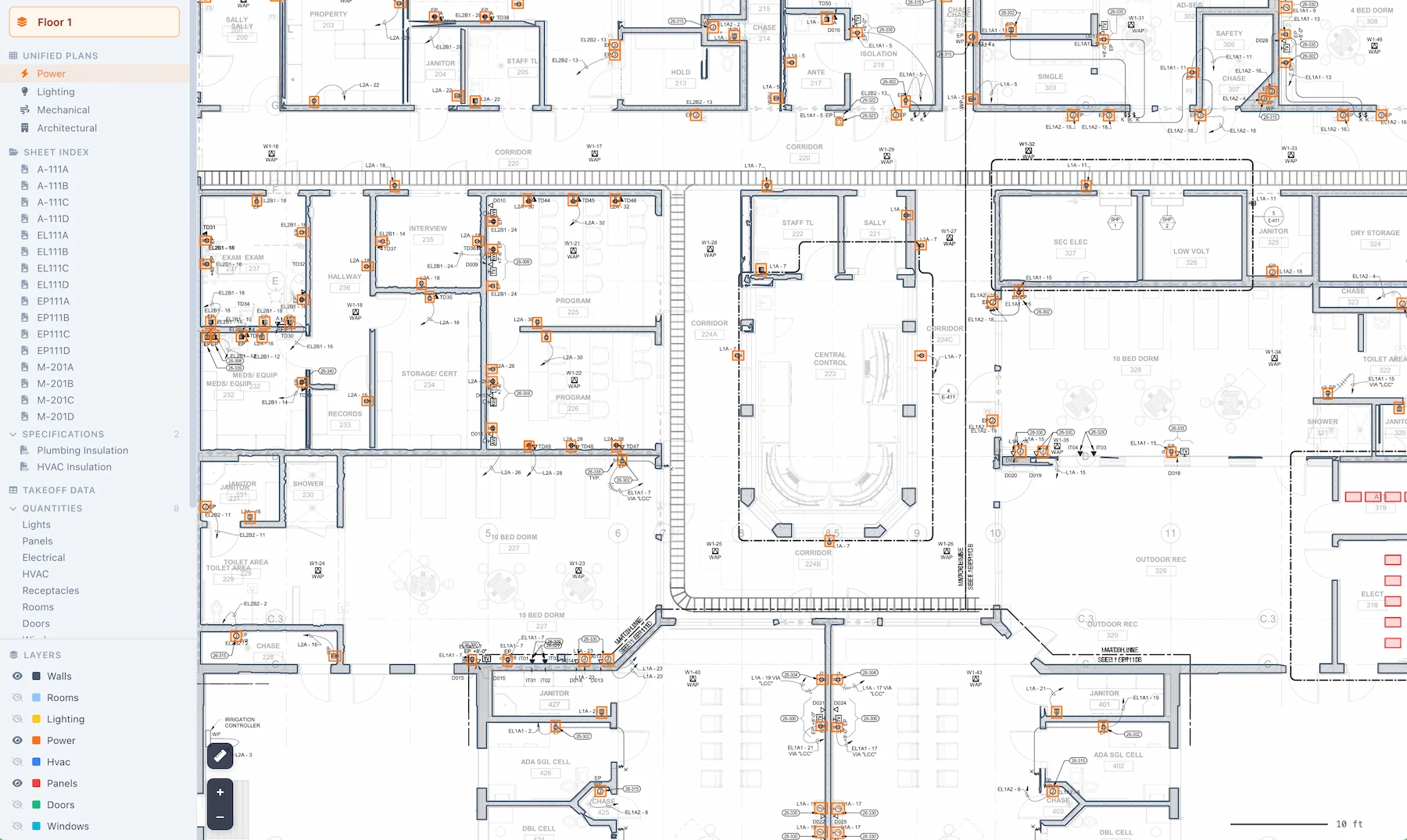

A quarter’s worth of work in one place. The theme: Badger moved from counting symbols on a floor plan to reading the whole electrical package, including the schedules, the one-line, and how the two connect.
Switchgear, as a takeoff you can hand to a supplier
Panels and breakers are counted and grouped by amperage and poles, with a switchgear CSV that goes to a supplier alongside the full bill of materials.
Breakers map to ABB ordering codes by amperage, poles and panel voltage, so what you send carries catalog part numbers a distributor can quote against instead of a description they have to interpret.
The schedules, read into something you can browse
Three kinds of schedule came online this quarter, each in its own tab.
Panel schedules. Step through each panel and see its circuits with breaker size, poles and wire size pulled off the drawing. Every circuit carries its phase, and mirrored dual-column schedules are read correctly instead of swapping trip and breaker values.
Feeder schedules off the one-line, with the conduit-and-conductor callout split into separate columns so feeder runs are ready to price.
Equipment schedules for connected gear such as FCUs, AHUs and pumps, with voltage, source panel, OCP and conduit, so connected loads don’t go missing from the electrical scope.
Gear read off the one-line
Transformers, distribution panels and grounding busbars are extracted from single-line drawings and flow into the takeoff.
Floor-plan symbol counting is the easy half of electrical estimating. The one-line is where the service, the feeders and the big-ticket gear live, and reading both is the difference between a fixture count and an electrical scope.
A bill of materials per trade
Download a BOM for lighting, doors, windows or mechanical equipment, each as a CSV with the columns that trade needs, rather than one combined export you have to cut apart first.
Circuits you can trace
Hover a lighting or power device and its whole branch circuit draws itself: from the panel, through the junction boxes, to every device on the run. It’s a fast way to check a circuit without opening the panel schedule in another window.
A workspace rebuilt around the drawing
The review workspace was redesigned around a faster viewer, with cleaner data tables, on-drawing markup and ruler tools, and a project grid that’s quicker to scan. Every project opens to an overview: counts by discipline, the project name and address read off the cover sheet, and drive time from your nearest office to the site.
You can also ask. Open a finished extraction and ask a plain-language question about its specs or equipment, such as a panel’s rating, and the answer draws from schedules, one-lines, details and general notes, not only the plan pages.
Also shipped
- Receptacles and junction boxes are typed as what they are instead of a generic label, each with a locator to jump to it on the drawing.
- Power device detection is more accurate, with far fewer false positives to clean up.
- Panel schedules on AutoCAD and vector PDFs recover more reliably, with fewer dropped circuits and panel names that match the drawing.
- Image-rendered and merged-cell schedules that used to slip through are now caught, and fixture types match their schedule more consistently.
- Thin-line light fixtures that detection used to miss are picked up.
- Sheets sort into the right discipline more reliably, so the correct pages feed each trade’s takeoff.
- Set a light’s type to None when no schedule type applies, instead of being forced to pick one.
- Doors and windows are no longer listed twice in the table, so the counts you read are the real ones.
Want in? Join the waitlist. We’re onboarding the next cohort in early September.
The full changelog is here if you want the release-by-release detail, or see what Badger does for Division 26 electrical.